
Need help with Vigor 2862
FIXED- Subscribe to RSS Feed
- Mark Topic as New
- Mark Topic as Read
- Float this Topic for Current User
- Bookmark
- Subscribe
- Printer Friendly Page
- Plusnet Community
- :
- Forum
- :
- Help with my Plusnet services
- :
- My Router
- :
- Re: Need help with Vigor 2862

21-07-2025 6:02 PM
- Mark as New
- Bookmark
- Subscribe
- Subscribe to RSS Feed
- Highlight
- Report to Moderator
I have done some of the set up for my Vigor 2862 but I'm unable to connect to the Internet.
It shows that it is connected to Plusnet and my static WAN ip address is shown but I've obviously overlooked some settings as my PC, which is connected to a lan port, has no access to the internet.
Any suggestions what I'm missing.
TIA
Pete
Fixed! Go to the fix.


Re: Need help with Vigor 2862
21-07-2025 7:08 PM
- Mark as New
- Bookmark
- Subscribe
- Subscribe to RSS Feed
- Highlight
- Report to Moderator
@Jaxon given that your PC can obviously access the 2862 gui it doesn't sound like a problem with the PC .
It is set for DHCP I assume ?
Are you on a FTTC( DSL) or an FTTP connection ?
Can you post a screenshot of the 2862 WAN settings ?
Superusers are not staff, but they do have a direct line of communication into the business in order to raise issues, concerns and feedback from the community.
Re: Need help with Vigor 2862
21-07-2025 10:56 PM
- Mark as New
- Bookmark
- Subscribe
- Subscribe to RSS Feed
- Highlight
- Report to Moderator
Thank you for your help.
I shall have to check the settings but I think it is set for DHCP. Definitely something I should check.
I have FTTC and normal downstream speed is low 60 Mbps.
I will take a screen grab of the WAN settings when I reconnect it tomorrow and post them separately.
I'll be busy until lunchtime so I'll try to get it posted mid afternoon.
Thanks again
Pete
Re: Need help with Vigor 2862
23-07-2025 12:37 AM
- Mark as New
- Bookmark
- Subscribe
- Subscribe to RSS Feed
- Highlight
- Report to Moderator
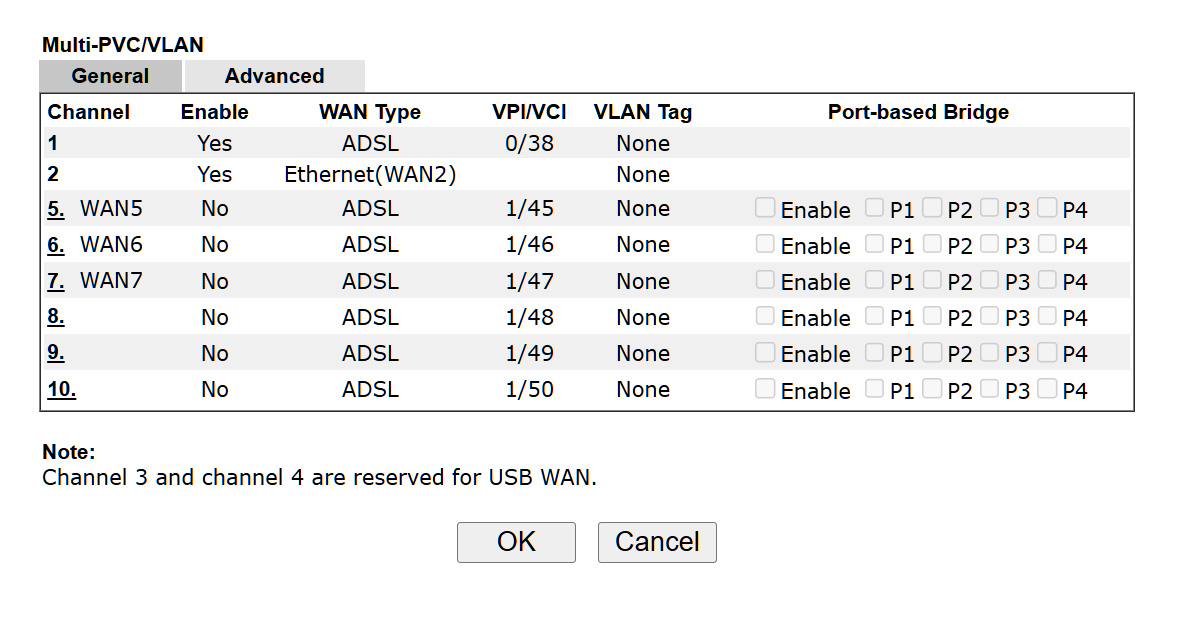
I have several screenshots, posted below. The ACT LED is flashing slowly'
Thanks again.
Re: Need help with Vigor 2862
23-07-2025 7:26 AM
- Mark as New
- Bookmark
- Subscribe
- Subscribe to RSS Feed
- Highlight
- Report to Moderator
Screenshot 1 shows no DSL connection, have you got the DSL port connected to the phone line ?
This link https://www.draytek.co.uk/support/guides/vigor-2860-vdsl-setup shows the typical settings for an FTTC (Openreach) connection.
The username in your case will be <accountname>@plusdsl.net and the password the one you use to login to the member centre https://www.plus.net/member-centre/login
If checking those settings doesnt fix it, then post screenshots of WAN1 detailed settings as in the link above
Superusers are not staff, but they do have a direct line of communication into the business in order to raise issues, concerns and feedback from the community.

Re: Need help with Vigor 2862
23-07-2025 10:33 AM
- Mark as New
- Bookmark
- Subscribe
- Subscribe to RSS Feed
- Highlight
- Report to Moderator
You are wasting your time trying to configure your Vigor 2862 until you update the firmware !
Your screenshot shows that you are currently running firmware version 3.8.7_BT



That is hopelessly out of date, and has been superseded by THIRTY official updates, up to the current release 3.9.9.11_BT
As you have it now, if you did connect to the internet you would be vulnerable to the widespread attack on unpatched DrayTek routers as reported by the ISPreview article "Broadband ISPs Report UK Problems with Vulnerable DrayTek Router"
To update your Vigor 2862 firmware -
- Download the latest official firmware (zip file) from here - https://www.draytek.co.uk/support/downloads/vigor-2862?task=download.send&id=4036:v2862-39911-bt&cat...
- On your PC, extract the update files from the downloaded zip file.
- Using the Vigor 2862 web interface, navigate to [System Maintenance] > [Firmware Upgrade]
- Upload the firmware update file "v2862_39911BT_779517.rst", and let the update run until completion.
- Once the firmware has updated and subsequently rebooted, take another screenshot showing the updated firmware version, and post that image here.
Once you have the latest firmware, there are a few configuration settings that need checking before you go online.
.
23-07-2025 10:37 AM
- Mark as New
- Bookmark
- Subscribe
- Subscribe to RSS Feed
- Highlight
- Report to Moderator
Thanks, I'll deal with that this morning.
Re: Need help with Vigor 2862
23-07-2025 10:38 AM
- Mark as New
- Bookmark
- Subscribe
- Subscribe to RSS Feed
- Highlight
- Report to Moderator
Will do and update you of my progress.
Re: Need help with Vigor 2862
23-07-2025 12:01 PM
- Mark as New
- Bookmark
- Subscribe
- Subscribe to RSS Feed
- Highlight
- Report to Moderator
Be aware that the update process described above deliberately resets the Vigor 2862's configuration, as your previous unsuccessful configuration attempts might have messed up something, and that updating 30 firmware release versions in one go is asking a lot for the new firmware to import or convert the settings from an eight year old configuration format without issues.
Therefore after the update and reboot, the LAN address and login will have gone back to the defaults -
- LAN address = 192.168.1.1
- Username = "admin"
- Password = "admin"
.
Re: Need help with Vigor 2862
23-07-2025 12:06 PM
- Mark as New
- Bookmark
- Subscribe
- Subscribe to RSS Feed
- Highlight
- Report to Moderator
I updated the firmware, ran the Setup Wizard and success, well kind of. Vigor was working but no internet. Opened a command prompt, ran ipconfig and noticed the that the default gateway was wrong. Ran ipconfig /renew and here I am.
Thanks to both of you who patiently helped, but I think I had a senior moment where I hadn't followed the very easy setup wizard.
Pete
Re: Need help with Vigor 2862
23-07-2025 12:11 PM
- Mark as New
- Bookmark
- Subscribe
- Subscribe to RSS Feed
- Highlight
- Report to Moderator
I did the firmware update and selected the All file. It kept my password ETC, but as I above ran the Wizard ETC.
Thanks again
Pete
- Subscribe to RSS Feed
- Mark Topic as New
- Mark Topic as Read
- Float this Topic for Current User
- Bookmark
- Subscribe
- Printer Friendly Page
- Plusnet Community
- :
- Forum
- :
- Help with my Plusnet services
- :
- My Router
- :
- Re: Need help with Vigor 2862