
Password
FIXED- Subscribe to RSS Feed
- Mark Topic as New
- Mark Topic as Read
- Float this Topic for Current User
- Bookmark
- Subscribe
- Printer Friendly Page
- Plusnet Community
- :
- Forum
- :
- Other forums
- :
- Tech Help - Software/Hardware etc
- :
- Re: Password
- « Previous
-
- 1
- 2
- Next »


Re: Password
31-08-2019 3:11 PM
- Mark as New
- Bookmark
- Subscribe
- Subscribe to RSS Feed
- Highlight
- Report to Moderator
I don’t think changing your webspace password specifically changes your account password. It’s the other way around. Have you tried changing your account password since the 6th August?
Operations Assurance Professional
Plusnet

Re: Password
31-08-2019 3:33 PM
- Mark as New
- Bookmark
- Subscribe
- Subscribe to RSS Feed
- Highlight
- Report to Moderator
Hi @Gandalf
In answer to your question No
I changed my account password on the 3rd August and my webspace password did not change hence my query.
Having changed nearly all my passwords (total 27 so far) due to a compromised account I would have presumed a refresh from your side would have cured that.
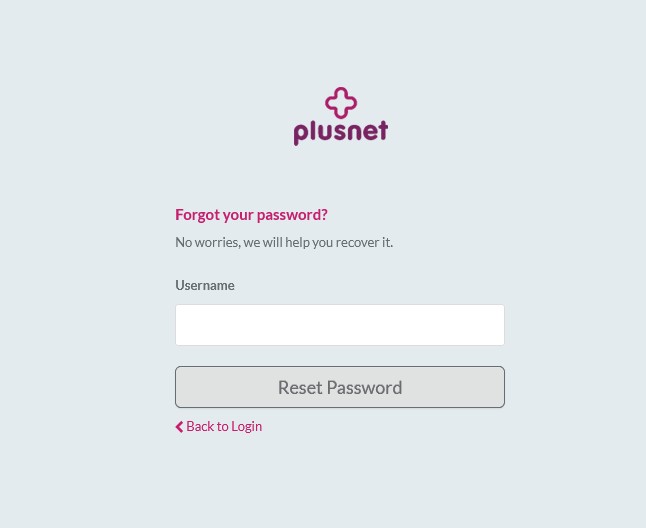
Regarding your comment on changing webspace password to reiterate I followed the instructions you get when you go to manage your webspace on the portal then the CGi part again on the portal to sign in. This gives the option of forgot password.
I have attached 3 screen shots F9 a, F9 b, & F9 c which then reverts back to F9 a, No email received even today whilst trying this.
Jack


Re: Password
31-08-2019 3:38 PM
- Mark as New
- Bookmark
- Subscribe
- Subscribe to RSS Feed
- Highlight
- Report to Moderator
As a workaround since the forgot password tool at hosting.plus.net doesn’t appear to be working for you, can you change your account password, wait an hour then let me know if that updates your webspace password automatically please?
Operations Assurance Professional
Plusnet
Re: Password
31-08-2019 4:02 PM
- Mark as New
- Bookmark
- Subscribe
- Subscribe to RSS Feed
- Highlight
- Report to Moderator
Hi @Gandalf
Changed account password as requested.
The router automatically changed password, clicked send/receive email that prompted me to change password for mail on all my equipment.
Went to FTP and edit the details for homepages, put in new password and guess what "Password Not Allowed", reverted back to my original password and that still works.
So no it is not changing the password.
Jack
Re: Password
31-08-2019 4:17 PM
- Mark as New
- Bookmark
- Subscribe
- Subscribe to RSS Feed
- Highlight
- Report to Moderator
Operations Assurance Professional
Plusnet
Re: Password
31-08-2019 4:46 PM
- Mark as New
- Bookmark
- Subscribe
- Subscribe to RSS Feed
- Highlight
- Report to Moderator
Operations Assurance Professional
Plusnet
Re: Password
31-08-2019 5:20 PM
- Mark as New
- Bookmark
- Subscribe
- Subscribe to RSS Feed
- Highlight
- Report to Moderator
Hi @Gandalf
New password has just worked after 3 attempts and over an hour from changing.
BTW if I had used forbidden characters surely the account password would not have worked.
Regards and thanks
Jack
Re: Password
01-09-2019 1:32 PM
- Mark as New
- Bookmark
- Subscribe
- Subscribe to RSS Feed
- Highlight
- Report to Moderator
Hi @mort7890 I'm glad to see that your webspace password has updated automatically following changing your account password  We fixed that on the 6th August.
BTW if I had used forbidden characters surely the account password would not have worked.
Yup you're right, I realised that after hitting the post button.
Operations Assurance Professional
Plusnet
- « Previous
-
- 1
- 2
- Next »
- Subscribe to RSS Feed
- Mark Topic as New
- Mark Topic as Read
- Float this Topic for Current User
- Bookmark
- Subscribe
- Printer Friendly Page