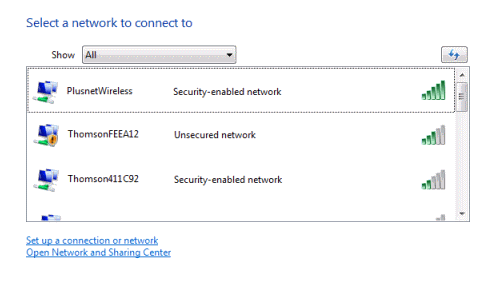
 Following on from the BBC’s Watchdog report last night about Wifi security, we've been receiving a number of calls from concerned customers worried that their wireless router is not secure. Here’s some basic advice and we’ll show you where to get some guidance on how to protect your wireless network. We take your security seriously and, provided you take simple steps to make sure protection is enabled, you shouldn't be overly anxious about your home network. Wifi-networks are protected using a passkey system, generally using WPA or the even more secure WPA2-PSK system. The Thomson gateway 585v7 we supply is configured to use WPA security by default. This will work with most Wifi devices and if you’ve got one of these your network should be protected. If you want to make sure your home Wifi network is secure then we have a guide on securing your wireless on our support pages. Don’t forget though. If you do change your SSID or your passkey, remember to make the same changes on your Wifi-enabled computer or laptop too, otherwise you won’t connect to your home network. Public Hotspots Last night’s watchdog report focused on Wifi hotspots. You’ll find these at airports, cafe etc and are designed for anyone to be able to connect to them, often free-of-charge. This is very different to your home network where you can restrict who has access to it by choosing to use WPA or WPA2 security and setting the passkey. If you do use Wifi hotspots when you take your laptop out and about, make sure that the security software on your computer is up to date and you have an anti-virus and firewall installed. If you have any important emails which contain confidential information, try and avoid sending these from unsecure public Wifi hotspots as this increase the risk of the contents being intercepted and read by hackers. Remember: When you're not using the wireless signal on the router you should turn this off. If you've got any questions about wireless security please pop over to our discussion forums. Chris
