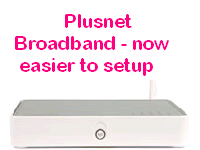
 Have you ever needed to set up a router for a friend or neighbour? Maybe you’re one of those people who find the whole prospect of configuring a new piece of equipment daunting? I’m happy to say that there’s now a solution to this problem. Over recent weeks we've been trialling routers which are easier to set up, all you need to do is plug them into your PC, the power socket, and the phone line and the router does all the rest for you. Sounds too good to be true? Well it isn’t! From today it becomes a reality. The technology behind how we manage these new routers goes by the name of TR069 Let's go through what should happen from the moment a hardware order is placed with us. A 'component' is added to your account on our systems. This contains the router model, order number and delivery address. This order will be sent along with any other hardware orders received that day as part of a batch. After the warehouse has received this order, they'll prepare the router to be dispatched. This now includes scanning the serial number and sending it back to us. We then record this serial number on your hardware component and also in the ACS (Auto Configuration Server). The router is then sent to you, and once you've plugged it all in and it's picked up the ADSL signal, it will authenticate on a generic username. This then connects to our ACS (Auto Configuration Server) which tells the router what username and password it needs to connect on your service. This information is pushed back to the router and it's forced to disconnect from using the generic username and reconnect using your specific details. That's it all done. You should be online and able to browse. But wait, there’s more! Previously if you had changed your password via our website, it would mean you'd have to log back in to the router and manually update the password in there. This can be time consuming, especially if you have to look up the address and username/password for the router setup pages. Now this is changed automatically, once you've updated your password on our website, this information is passed back to the router (normally within a couple of minutes) and you continue to browse without problems. We're looking forward to this being launched and we hope you are too. This will only apply to customers who have ordered hardware since Thursday 6th August. If you've got any questions, drop a comment below and we'll get back to you.
